Writing the Examination is only the beginning; what comes after: checking your score, meeting cut off marks, and presenting the right documents during screening, is just as important as the examination itself.
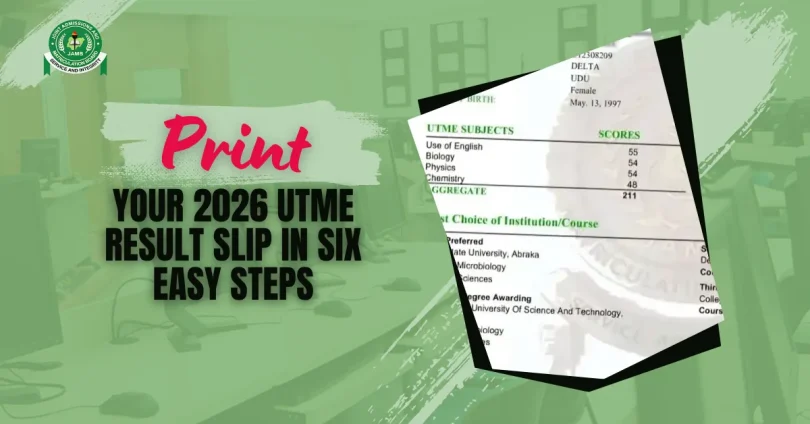
If you just wrote the 2026 UTME, you now must print your official JAMB result slip. Without it, most Institutions will not process your admission, clear you for registration, or even accept you for screening.
The Result Slip Printing for the 2026/2027 session is now available for printing according to the latest announcement: Candidates Can Now Print Original UTME Slips. Printing is quite easy. You just need to learn the steps, printing costs, and what to do after you have your slip in hand. This guide breaks it down properly.
How to Identify the JAMB Result Slip
Understanding what you are actually printing is very important. Many candidates often confuse these two documents:
The Result Notification Slip is the first thing you see after JAMB releases results. It shows your score and gives you a quick review of how you performed. It is useful, but it is not the document most Institutions want during screening.
The Original JAMB Result Slip is the official one. It carries your passport photograph and verified details, and it is what Universities, Polytechnics, and Colleges of Education need during admission screening, clearance, and registration. This is the one you must print and keep safely.
Things You Need Before Printing Your Slip
- The email address and password you used during JAMB registration.
- Your JAMB registration number.
- Working internet connection.
- A debit card, credit card, or any accepted payment option to cover the fee.
- Access to a printer, or a nearby business centre, or a CBT centre.
Note that if you have forgotten your password, you can use the “Forgot Password” option on the portal. But if that does not work, visit the nearest JAMB office with your registration details.
Step by Step: How to Print Your 2026 JAMB Result Slip
Step 1: Open the Official JAMB Portal
Go to the JAMB eFacility portal at https://efacility.jamb.gov.ng. Do not use any other website to protect your details and avoid scams.
Step 2: Log in to Your Account
Enter your registered email address and password to log in.
Step 3: Find the Result Slip Section
On your dashboard, search for “Print Result Slip.” This will take you directly to the result slip printing page.
Step 4: Pay the Required Fee
Click “Continue with Payment” and pay the fee with your debit card. You can also use a bank transfer or any accepted payment option. Make sure to save your payment confirmation. You may need it later.
Step 5: Enter Your Details
Select 2026 as your examination year and enter your JAMB registration number.
Step 6: Download and Print
Once your payment goes through, your result slip will be generated immediately. Click Download to save it as a PDF before printing. Then open the file and print. You must use a good printer so that your slip comes out very clear.
Printing Fee
The official JAMB fee is N1,500. But if you are printing at a CBT centre or business centre, expect to pay an additional service charge. The charges might fall between N500 and N1,500 on top of the JAMB fee.
JAMB Result Slip Expiry Date
If you sat the 2026 UTME and did not secure admission immediately, you must write the examination again. Your Result Slip is only valid for one session.
Frequently Asked Questions (FAQs)
What happens if I pay the N1,500 fee but the slip does not generate?
Do not panic and do not pay again. Log out of the portal, wait a few minutes, and log back in. In some cases, the payment was already recorded even when the slip did not appear. But if the problem continues after 24 hours, visit the JAMB office with your payment confirmation and registration details.
Can you print more than once?
Yes. After paying the fee, you can download and reprint as many times as you need.
Will my result slip show my subject scores or just my total score?
Your official result slip shows both your total score and the individual scores for each subject you sat. This is why Institutions prefer it over SMS result notification.
What if my passport photograph is blurry or missing on the result slip?
If your slip prints without a clear photograph, visit your nearest JAMB office immediately with your registration details. Do not try to edit it in any way.
The printing option is not showing on my dashboard. What do I do?
JAMB activates the feature in groups, so keep checking your portal.



Leave a Comment